Buying a License Through MDWFP Online
The last-minute scramble for a hunting license can really steal your focus from the excitement of an upcoming season. Nobody wants to be stuck in line or worrying if their paperwork is in order right before opening day. This guide cuts through that frustration, walking you step-by-step through how to easily purchase your Mississippi hunting license directly through the Mississippi Department of Wildlife, Fisheries, and Parks (MDWFP) online portal, ensuring you're legal and ready to hunt without a hitch.
The Undeniable Appeal of Buying Your License Online
Let's be real, the thought of driving to a sporting goods store, waiting in line, and then hoping the clerk knows exactly which Mississippi hunting license you need can be a deterrent to even the most seasoned hunter. For years, this was the only way, and while there's a certain charm to the old-school approach, it often comes with unnecessary hassles. The MDWFP's online system has truly revolutionized how we manage our hunting and fishing privileges in the Magnolia State, offering a level of convenience that's hard to beat. It’s about more than just buying a piece of paper; it’s about streamlining your entire pre-hunt routine.
No More Long Lines or Limited Hours
Remember those days leading up to Mississippi Gun Season Opening Day or the Mississippi Archery Season Dates by Unit when every retailer felt like a crowded DMV? You'd carve out time from work, juggle family commitments, and still end up standing there, sometimes for what felt like forever, just to get that essential stamp of approval. Or maybe you're like me, a night owl, and by the time you remember to get your license, every store is already closed.
The online portal completely obliterates these frustrations. You can purchase your license from your kitchen table at 2 AM, during your lunch break at work, or even while sitting in a treestand with good cell service (though I wouldn't recommend that last one for focus!). This accessibility means you can take care of business on your schedule, not someone else's. It frees you up to spend that extra time scouting new ground or just relaxing with your family instead of running errands.
Anytime, Anywhere Access to Your Hunting Privileges
The beauty of the MDWFP online system is its constant availability. Whether you're planning a last-minute trip to Delta National Forest Hunting or simply need to renew your Mississippi Resident Sportsman's License before squirrel season kicks off, the portal is always open. This global access is a game-changer, especially for hunters who travel for work or those who live in more rural areas where a license vendor might be a significant drive away.
It means that even if you're out of state and suddenly decide to come home for a weekend hunt, you can secure your license with just a few clicks, making spontaneous trips to chase that Mississippi whitetail or gobbler much more feasible. This flexibility is invaluable, preventing missed opportunities due to administrative red tape. Plus, when you're looking up areas to hunt on a platform like GoHunt, knowing you can instantly get your required permits adds to the seamless planning experience.
Avoiding Common Paperwork Headaches
Let's face it, official forms can be confusing. Are you a resident or non-resident? Do you need a separate Mississippi Wild Turkey Stamp? What about the migratory bird stamp? The online system, while still requiring you to select the correct licenses, often guides you through the process with clearer prompts and descriptions than trying to decipher tiny print on a paper form. It helps reduce errors and ensures you get exactly what you need without inadvertently overlooking a critical endorsement.
Think about the sheer number of different Mississippi Hunting Licenses and What They Cost – from all-game licenses to specific archery permits and various add-on stamps. The online portal organizes these, making it easier to select the right combination for your hunting plans, whether you're targeting White-Tailed Deer Across Mississippi or chasing Waterfowl Hunting the Mississippi Delta. This structured approach minimizes the chances of forgetting a crucial stamp or purchasing the wrong type of license, saving you potential fines or the embarrassment of being unable to hunt.
Navigating the MDWFP Online Portal for First-Timers
If you've never used the MDWFP's online system, it might feel a little daunting at first glance. But I promise you, it's designed to be fairly user-friendly. The key is to take your time, read the prompts, and not rush through the process. Think of it like walking into a new sporting goods store; you might not know where everything is immediately, but with a little exploration, you'll find what you need.
Creating Your MDWFP Customer Account
Before you can purchase anything, you'll need to create a customer account. This is a crucial first step, as it links all your license purchases, hunter education records, and other important information to a single profile. You'll typically be asked for personal details like your name, address, date of birth, and driver's license number. If you've ever bought a license in person before, the system might even recognize some of your information, making the process smoother.
When creating your account, choose a strong password and keep it somewhere safe. You don't want to be locked out when you're trying to snag that crucial last-minute Mississippi nonresident deer permit. This account becomes your digital vault for all your MDWFP interactions, including reporting harvests if you're successful during the deer season. Many platforms like GoHunt also recommend keeping your personal hunting information organized, and your MDWFP account is the perfect place to start.
Understanding the Website's Layout and Features
Once logged in, you'll generally find a dashboard or main menu with options like "Buy Licenses," "Print Licenses," "View Harvest Reports," and "Update Profile." The "Buy Licenses" section is where you'll spend most of your time for this task. It's usually well-organized, categorizing licenses by type (hunting, fishing, commercial) and then by resident/non-resident status.
Don't be afraid to click around a bit. You won't break anything. Familiarize yourself with where your hunter education details are stored, or how to check your existing licenses. This proactive exploration can save you time and stress down the line if you ever need to access specific information quickly, such as your Mississippi Hunter Education Requirements certificate. The system is pretty intuitive once you get a feel for it.
Finding the Right Hunting License or Permit
This is where many folks can get tripped up, especially with the variety of options available in Mississippi. The online portal typically has filters or categories that help you narrow down your choices. You’ll usually see options for:
- Resident vs. Non-Resident: This is the big one. Your residency status dictates which set of licenses you're eligible for and their respective costs. Make sure you select correctly to avoid issues.
- Annual vs. Temporary: Many licenses are annual, but some, especially for non-residents, come in 3-day or 7-day increments. For instance, there's a Mississippi Seven-Day Nonresident License that can be perfect for a quick hunting trip.
- Specific Game or Activity: Do you need a general hunting license, or are you specifically after a Spring Turkey Hunting in Mississippi permit, a migratory bird stamp, or a Mississippi Federal Duck Stamp Requirement? Pay close attention here.
- Special Privileges/Permits: Think youth licenses, disability permits, or lifetime options.
When in doubt, use the search function if the portal has one, or consult the official MDWFP regulations booklet to confirm exactly what you need for your planned hunt. It’s always better to be over-licensed than under-licensed!
Choosing the Right Mississippi License Type for Your Hunt
Mississippi offers a wide array of licenses and permits tailored to different hunters and their pursuits. Understanding these distinctions is crucial to ensure you're compliant with state regulations. It's not a one-size-fits-all situation, and picking the wrong one could lead to a less-than-enjoyable interaction with a game warden.
Resident Versus Non-Resident: Knowing Your Status
This is probably the most fundamental distinction. If you permanently reside in Mississippi, you'll qualify for resident licenses, which are significantly more affordable than Mississippi Nonresident License Options. Typically, to be considered a resident, you must have lived in the state for at least 30 consecutive days. However, there are exceptions for active-duty military stationed in Mississippi and full-time students.
Non-residents, on the other hand, will face higher fees, reflecting the state's interest in prioritizing resident access and funding conservation through non-resident contributions. If you're coming from out of state for a hunt, you might consider the Mississippi Nonresident All-Game License Cost or a shorter-term permit, depending on the duration of your trip. Always double-check your status, as misrepresenting it can lead to serious penalties.
Picking Your Game and Season Specifics
Beyond the basic residency, you need to think about what you're hunting. A general hunting license is usually the base, but many species require additional stamps or permits:
- Deer: If you're going after White-Tailed Deer Across Mississippi, your general hunting license covers you, but always review the Mississippi Deer Season Structure Explained and specific unit regulations for bag limits and antler restrictions.
- Turkey: Spring Turkey Hunting in Mississippi requires a valid hunting license plus the new Mississippi Wild Turkey Stamp Cost in Mississippi. Don't forget this!
- Waterfowl & Migratory Birds: For ducks, geese, doves, and other migratory birds, you'll need a general hunting license, a state waterfowl stamp, a federal duck stamp, and be HIP (Harvest Information Program) certified. The MDWFP online system usually walks you through the HIP certification when you buy migratory bird permits. Check out Mississippi HIP Certification for Bird Hunters for more details.
- Small Game: For species like Squirrel and Small Game Hunting in Mississippi or rabbits, a basic hunting license is usually sufficient.
It's a good idea to have your hunt plan somewhat solidified before you start purchasing licenses. Knowing if you're hitting the Waterfowl Hunting the Mississippi Delta or focusing on Bowhunting Mississippi's Long Archery Season will guide your selections.
Special Permits and Stamps: Don't Forget the Extras
Sometimes, it's the little things that trip us up. Beyond the main licenses, there are several special permits and stamps that might apply to your hunting activities:
- Youth Licenses: For young hunters, specific youth licenses are often available and may be free or significantly reduced in cost. This is a great way to introduce the next generation to hunting without a huge financial burden.
- Apprentice Licenses: If you haven't completed hunter education yet, an apprentice license allows you to hunt under the direct supervision of a licensed adult.
- Disability Permits: Hunters with certain disabilities may be eligible for special permits that allow for alternative methods or access.
- WMA Permits: If you plan on hunting on any of Mississippi's Mississippi Wildlife Management Areas, you'll typically need a WMA User Permit in addition to your regular hunting license. This helps fund the management of these vital public lands.
These additional requirements are designed to manage wildlife populations, ensure safety, and fund conservation efforts. Overlooking one of these can turn a successful hunt into a legal issue, so always take the time to review the MDWFP's current regulations, which you can often find linked directly from the online license portal.
The Step-by-Step Online Purchase Process
Alright, you've created your account, figured out which licenses you need, and now it's time to pull the trigger (pun intended!). The online purchase process is designed to be straightforward, but walking through each stage mentally, or even with this guide open, can prevent any missed steps or confusion.
Adding Licenses to Your Cart
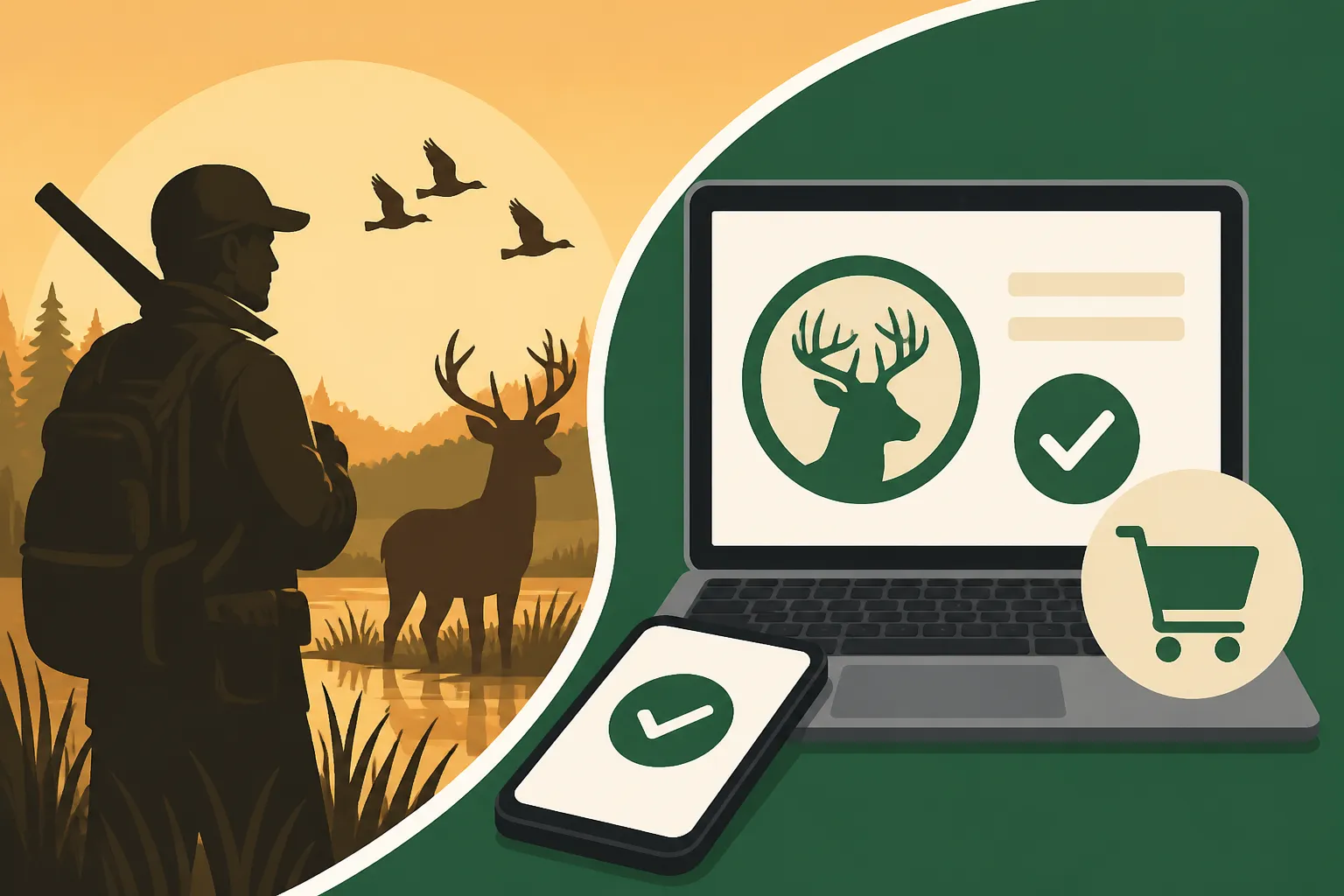
Once you're in the "Buy Licenses" section, you'll browse the available options based on your residency. As you click on a specific license, it will typically provide a brief description, its cost (like the Mississippi Resident Sportsman's License Cost), and its validity period. If you’re buying multiple items, such as an all-game license, a turkey stamp, and a WMA permit, you’ll add them to your digital shopping cart one by one, much like any online retail experience.
The system might also suggest related permits. For example, if you add a migratory bird license, it should prompt you to complete your HIP certification if you haven't already. Pay attention to these prompts, as they're there to help ensure you're fully covered for your intended activities. Before proceeding, always review your cart to ensure you've selected all the correct licenses and nothing extra. This is your last chance to catch any errors before payment.
Payment and Confirmation
When your cart is ready, you'll proceed to a secure checkout page. Here, you'll typically enter your payment information, usually a credit or debit card. The MDWFP portal uses standard encryption to protect your financial data, so you can generally feel confident about the security of the transaction. Once your payment is processed, you'll receive an on-screen confirmation. This usually includes a transaction ID and a link to print your temporary license or save it digitally.
It’s crucial to save this confirmation page, either by printing it immediately or taking a screenshot, especially if you plan to hit the woods right away. You should also receive an email confirmation shortly after. This email serves as an additional record and often contains another link to your printable licenses. Keep this email handy, as it's a great backup if you ever need to access your license details again.
Printing or Digital Proof of License
After purchase, the portal usually gives you the option to print your official license. This physical copy is often preferred by many hunters, especially for certain scenarios or just for peace of mind. However, Mississippi, like many states, has embraced digital alternatives. You can carry Carrying Proof of License on Your Phone by saving a PDF version of your license directly to your smartphone or tablet.
Many hunters find this incredibly convenient. You're almost always carrying your phone, so having your license digitally means one less thing to worry about losing in the field. Just make sure your phone is charged! The MDWFP also has a dedicated app (which we'll discuss next) that can display your current licenses, making digital proof even easier and more robust. No matter how you choose to carry it, make sure it's accessible and clearly readable if a game warden asks to see it.
Troubleshooting Common Online License Issues
Even with the best intentions and user-friendly design, technology can sometimes throw us a curveball. Don't let a minor technical glitch deter you from using the convenience of the online system. Most common issues have straightforward solutions, and understanding them beforehand can save you a lot of frustration.
Login Frustrations and Password Resets
It's happened to all of us: you go to log in, and your password just isn't working. Or maybe you've completely forgotten your username. The MDWFP portal, like most online systems, has a "Forgot Username" and "Forgot Password" feature. Utilize these! They typically involve entering your email address or some identifying information to help you regain access.
If you try to reset your password multiple times and still run into issues, clear your browser's cache and cookies. Sometimes old data can interfere with new login attempts. If all else fails, you might need to contact MDWFP customer service directly. They can help verify your identity and get your account access restored. It's a minor inconvenience, but far less stressful than driving all the way to a vendor.
Payment Glitches and Card Declines
Nothing is more frustrating than having your payment declined when you know you have funds available. Several things can cause this:
- Typo in Card Information: Double-check your card number, expiration date, and CVV code. A single digit off will prevent the transaction.
- Billing Address Mismatch: Ensure the billing address entered exactly matches the address on file with your credit card company.
- Bank Security Flags: Sometimes banks flag online transactions, especially if they're from an unfamiliar website or for a specific amount. A quick call to your bank can usually resolve this.
- Browser Compatibility: Occasionally, older browsers or certain browser settings can interfere with payment processing. Try a different browser (Chrome, Firefox, Edge, Safari) if you're experiencing persistent issues.
If you encounter a payment issue, don't just keep trying the same thing. Review the details, try a different card if you have one, or give your bank a call. Patience here can prevent headaches.
Website Bugs and Browser Compatibility
While MDWFP strives for a smooth user experience, sometimes websites have their off days, or certain browser configurations can cause problems. If pages aren't loading correctly, buttons aren't responding, or you're getting error messages, here are some steps:
- Refresh the Page: The simplest solution, sometimes all it takes is a quick refresh.
- Try a Different Browser: As mentioned, if one browser isn't cooperating, switch to another. Chrome, Firefox, and Microsoft Edge are generally reliable.
- Disable Browser Extensions: Ad-blockers or other browser extensions can sometimes interfere with website functionality. Try temporarily disabling them.
- Clear Cache and Cookies: This can resolve issues caused by outdated or corrupted website data stored on your computer.
If a persistent error or bug prevents you from completing your purchase, make a note of the exact error message and the steps you took to get there. This information will be invaluable if you need to contact MDWFP customer support for assistance.
What Happens After You've Bought Your License Online
So you've successfully navigated the portal, picked your permits, and made your purchase. Congratulations! But the journey doesn't end there. Understanding how to properly carry proof of your license, leverage the MDWFP app, and prepare for future renewals is just as important as the initial purchase.
Carrying Your Proof of License on Your Phone
Mississippi is one of many states that allow digital proof of your hunting license. This means you don't necessarily need a physical paper copy if you have it displayed clearly on your smartphone. The MDWFP website usually provides a link to download a PDF of your license immediately after purchase, and you can save this to your phone's files or even your digital wallet. This can be super handy when you're out in the field, away from any printers.
When carrying digital proof, just ensure your phone has enough battery life, and that the license can be easily accessed and viewed. Many hunters keep a screenshot of their license in their photo gallery for quick access, or save the PDF to a cloud service like Google Drive or Dropbox. This digital convenience, especially when paired with a good scouting tool like GoHunt, means you can keep all your crucial hunt information literally in the palm of your hand. Check out Carrying Proof of License on Your Phone for more detailed tips.
Utilizing the MDWFP App for Enhanced Experience
Beyond just displaying your license, the official MDWFP mobile app (available for both iOS and Android) offers a wealth of functionality that can greatly enhance your hunting experience. Not only can you view your current licenses directly within the app, but it also provides:
- Digital Harvest Reporting: In Mississippi, successful deer and turkey harvests must be reported. The app makes this process incredibly simple, allowing you to enter your harvest details directly from the field. For more, see Reporting a Deer Through Mississippi's App.
- Interactive Maps: Access WMA boundaries, public land designations, and other vital geographical data, which is essential for Scouting Mississippi Public Land Before Season.
- Regulation Access: Quickly look up current hunting and fishing regulations without needing a paper booklet.
- Season Dates: Get up-to-date information on Mississippi Archery Season Dates by Unit and other species.
This app is a powerful tool. I highly recommend downloading it and familiarizing yourself with its features. It really bridges the gap between the online portal and your boots-on-the-ground hunting activities.
Future Renewals and License History Management
Once you have an MDWFP customer account, renewing your licenses in subsequent years becomes even easier. When it's time to renew, you can simply log back into your account, and the system will often show you your previous purchases and suggest appropriate renewals. This saves you the trouble of re-entering all your personal information and searching for the right license types.
Your account also maintains a history of all your past licenses, permits, and harvest reports. This digital record can be useful for tracking your hunting success over the years or if you ever need to retrieve proof of a past license. Most licenses are valid for one year from the date of purchase or for the specific season they cover, so pay attention to the How Long a Mississippi License Stays Valid to ensure you're always covered. Setting a reminder on your phone or calendar for renewal can save you from that last-minute scramble next season!
Comparison of License Purchase Methods
To give you a clearer picture, here's a quick look at the pros and cons of purchasing your Mississippi hunting license online versus the traditional in-person method.
| Feature | MDWFP Online Portal | Authorized License Retailer (In-Person) |
|---|---|---|
| Convenience | 24/7 access from any internet-enabled device | Limited to store hours and location |
| Speed | Instant purchase and digital proof | Can involve waiting in line, dependent on clerk efficiency |
| Information | Detailed descriptions, suggested permits, app integration | Relies on clerk's knowledge, limited on-the-spot info |
| Record Keeping | Centralized online account with license history | Paper receipt, easy to lose; no digital history |
| Payment Options | Credit/Debit Card | Cash, Credit/Debit Card, checks (varies by retailer) |
| Troubleshooting | Self-service password reset, MDWFP customer service | Return to store, call MDWFP |
| Proof of License | Print at home, save to phone, MDWFP App display | Physical printout from retailer, prone to loss/damage |
| Last-Minute Access | Excellent, perfect for unexpected hunt opportunities | Risky, depends on store being open and accessible |
| Cost | Same as in-person, but avoids travel costs | Same as online, plus potential travel costs |
As you can see, for most modern hunters, the MDWFP online portal offers significant advantages in terms of convenience, speed, and overall management of your hunting privileges.
Disclaimer
The information provided in this guide is intended for general informational purposes only. While every effort has been made to ensure accuracy, hunting regulations, license requirements, and fees are subject to change by the Mississippi Department of Wildlife, Fisheries, and Parks (MDWFP). It is the hunter's sole responsibility to consult the most current MDWFP official regulations and laws before engaging in any hunting activities. Always prioritize safety and adherence to all applicable state and federal laws.